Ninth Pocket guide
How to publish your binder
Publishing turns a binder you’re tracking in Ninth Pocket into a public, shareable page — your completion progress and exactly which cards you still need, always up to date, at a link anyone can open. Here’s what it does, how to turn it on, and why it’s worth using.
What binder publishing is
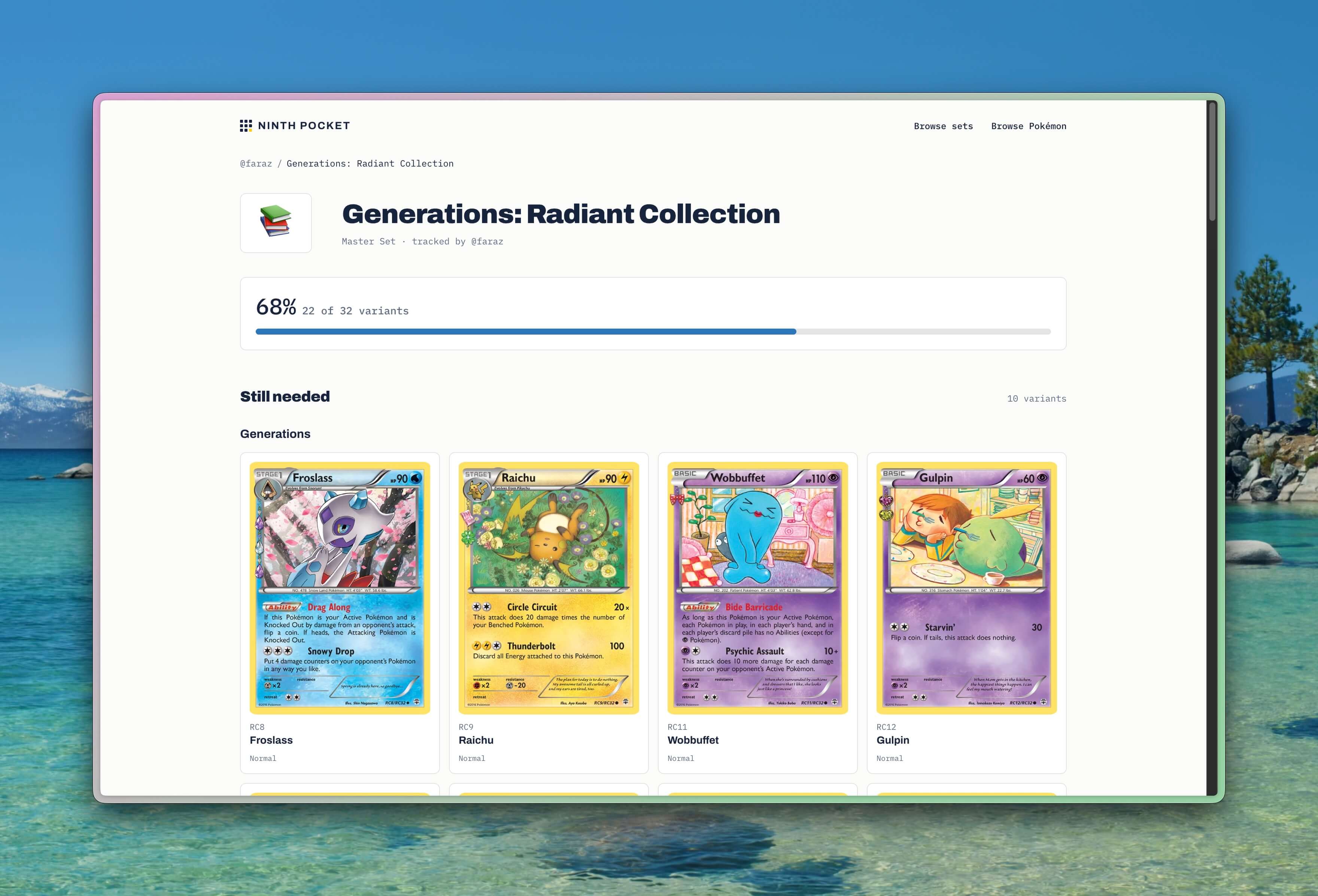
Every binder in Ninth Pocket — an official set, a master set, a Pokémon species collection, an artist gallery — starts private, visible only to you. Publishing makes one binder public at a stable URL: ninthpocket.com/u/username/binders/set-name. That page shows your completion percentage, the cards you’ve collected, and a want list of exactly what’s missing — down to the variant, so a reverse holo you need shows up as a reverse holo, not just a duplicate card number.
It’s the difference between texting someone a photo of your binder and handing them a link that’s always current. You keep logging pulls and pickups in the app; the published page reflects it automatically.
Why publish a binder
One link instead of a screenshot
A published binder is a live page, not a photo of your binder. It updates automatically as you log new cards, so the link is never out of date.
A ready-made want list
Every published binder shows what’s missing, card by card — with the exact variant needed (reverse holo, 1st edition, stamped promo). Hand it to a trade partner or a shop and skip the back-and-forth.
Private by default, public on your terms
Binders start private. Nothing about your collection is visible until you choose to publish a specific binder, and unpublishing takes the page down immediately.
Your own profile page
Every binder you publish shows up on your profile page at ninthpocket.com/u/username, so a single link can showcase your whole collecting story — not just one set.
How to publish a binder
- 1
Open the binder you want to share
In the Ninth Pocket app, go to any binder — a full set, a Pokémon collection, or an artist gallery — from your Binders tab.
- 2
Tap the share icon
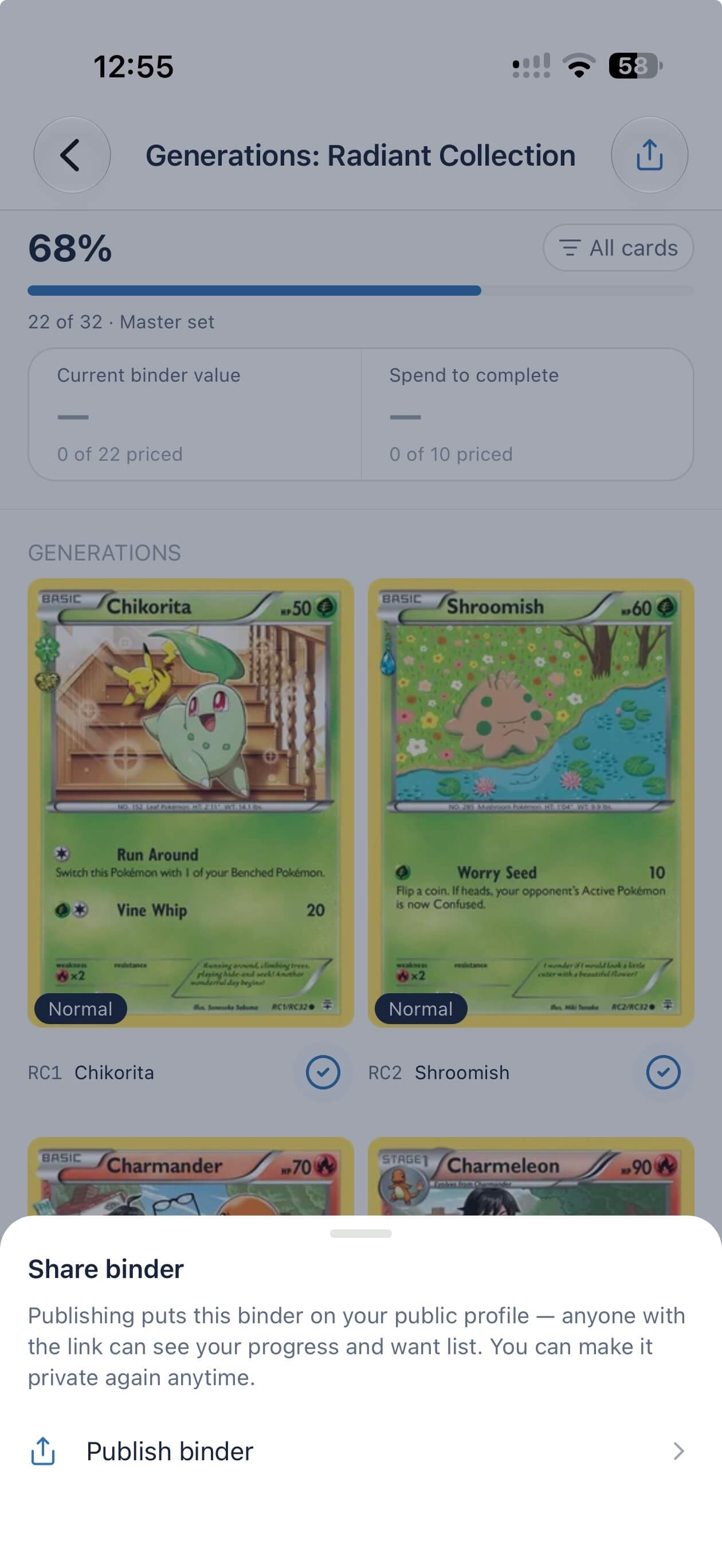
Every binder has a share button in the top corner. Tapping it opens the share sheet for that binder.
- 3
Claim a username, if you haven’t already
Publishing needs a public handle to publish under. If you don’t have one yet, you’ll be asked to claim one — it takes a few seconds and only has to be done once.
- 4
Tap “Publish binder”
This makes the binder’s public page live immediately at ninthpocket.com/u/username/binders/set-name, showing your progress and exactly which cards you still need.
- 5
Share the link
Use the share sheet to send the link anywhere — a trade group chat, your local card shop, Discord, or social media.
Changed your mind? Open the same share sheet and tap Make private — the public page comes down immediately, no waiting period.
Good uses for a published binder
- Send the link to your local card shop so they know exactly what to set aside for you.
- Drop it in a trade group chat or Discord as a standing want list instead of retyping it every time.
- Post your progress on a chase set to social media without exposing anything else in your collection.
- Keep one link for friends and family who ask “what do you still need” so you stop repeating yourself.
Frequently asked questions
- What does publishing a binder actually do?
- It creates a public web page for that one binder, showing your completion percentage and a want list of exactly which cards and variants you still need. The page lives at ninthpocket.com/u/your-username/binders/the-set and updates automatically as your collection changes.
- Is my whole collection visible once I publish?
- No. Publishing is per binder. Only the binder you publish is public — every other binder stays private until you choose to publish it too.
- Can I unpublish a binder later?
- Yes. Open the same share sheet and tap "Make private." The public page comes down immediately.
- Do I need a username to publish?
- Yes, publishing requires a public username since it becomes part of your binder’s URL. You’ll be prompted to claim one the first time you publish, and it only takes a few seconds.
- Does a published binder cost anything?
- No. Publishing and sharing binders is a free feature of the Ninth Pocket app.
- Can other people edit my published binder?
- No. A published binder is read-only for everyone but you — visitors can view your progress and want list, but only you can add or remove cards.
- What can I use a published binder link for?
- Common uses are handing a want list to a local card shop or trade partner, posting progress on a set to social media or a Discord server, and giving friends a standing link to your collection instead of resending screenshots.
Ninth Pocket for iOS
Start tracking a binder you can publish
Every card and printing across every English set — plus Pokémon, trainer, and artist collections you can’t build anywhere else.